Stop imagining it. Look at the real screens.
Ten real Yes Chef AI screens, from the Kitchen Due Diligence checks to recipe costing and venues. Each one answers a question a kitchen asks every week. Screens show demonstration and sample data.
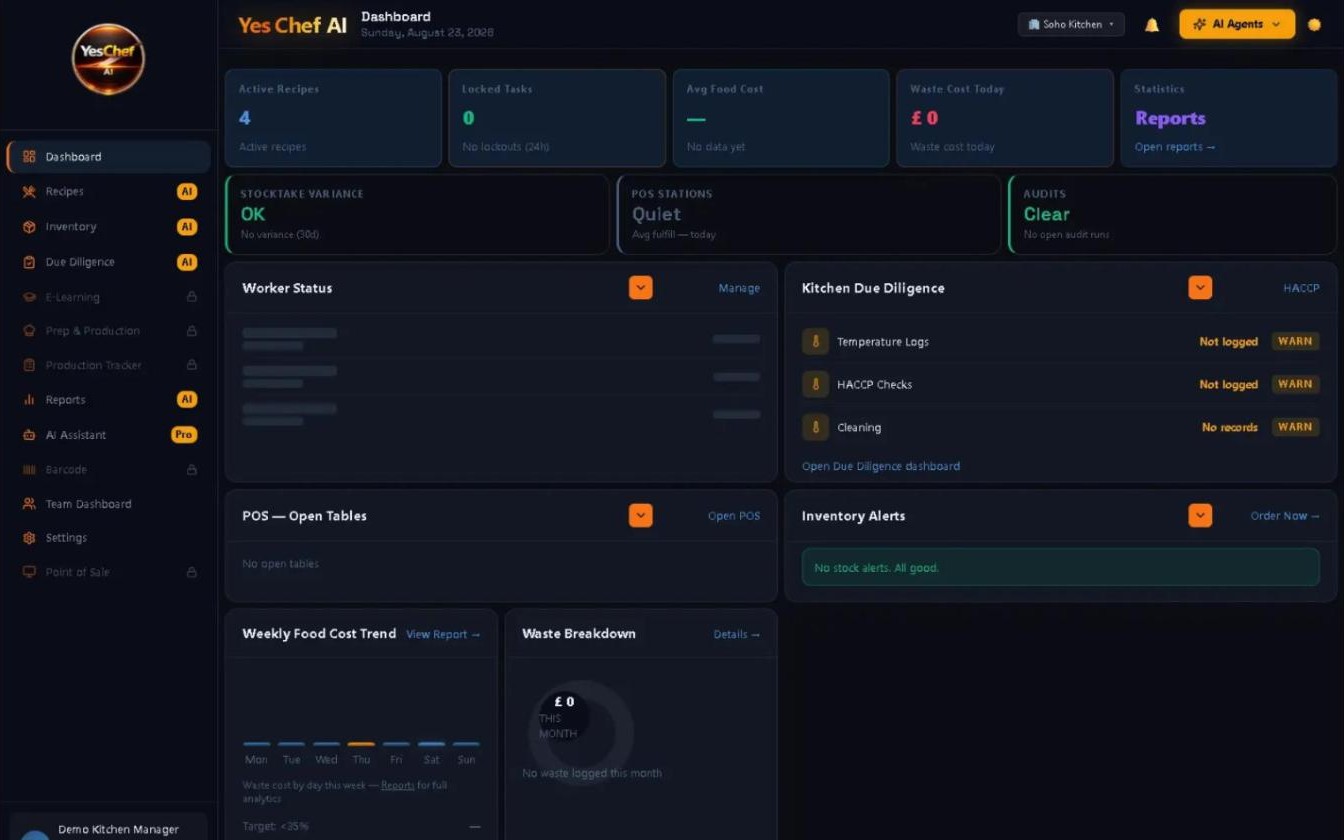
How many systems do you open just to understand today?
One starting view for the day: recipes, costs, stock, audits and the Kitchen Due Diligence panel with its temperature, HACCP and cleaning status, so you see what needs attention before you open anything else.
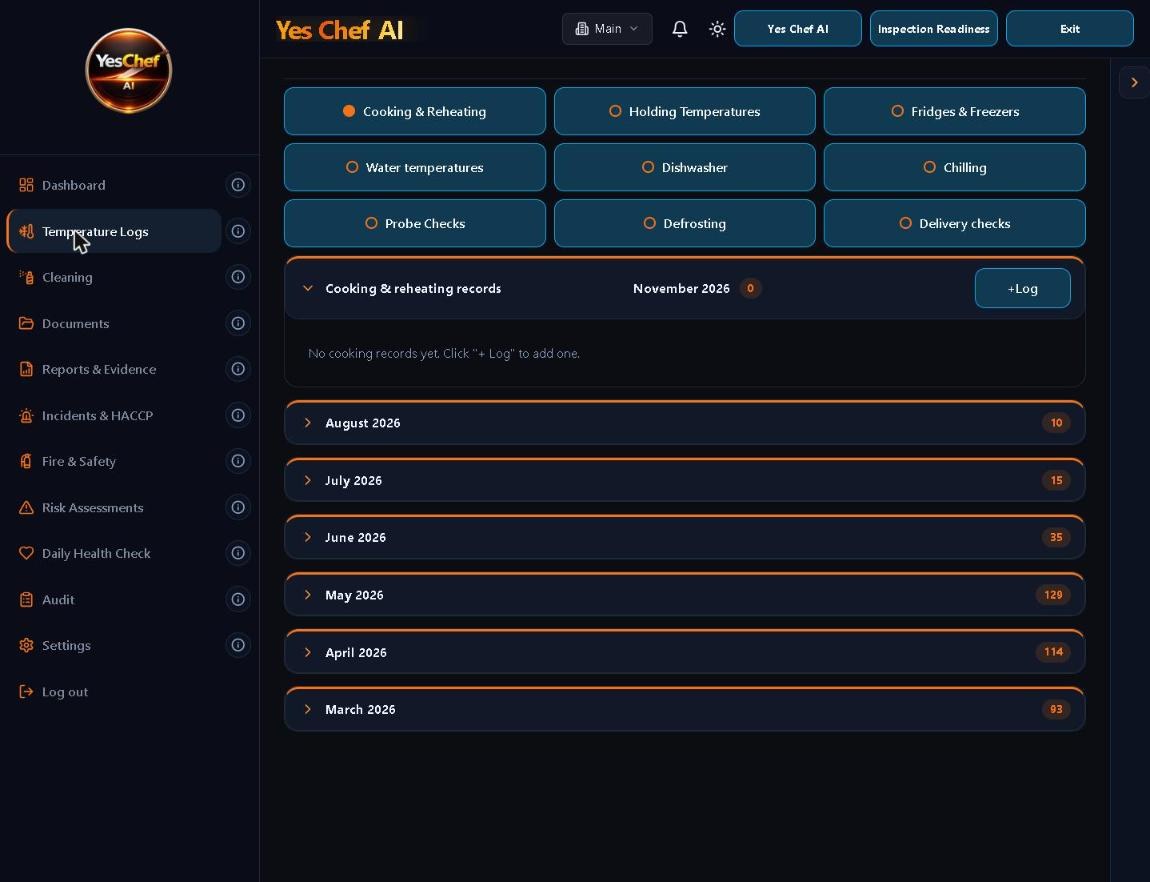
Did the fridge hold, or did you just hope?
Readings are logged against the limit for each unit. One that is out of range is shown as Failed and opens a corrective action, so it cannot slip quietly past a busy shift.
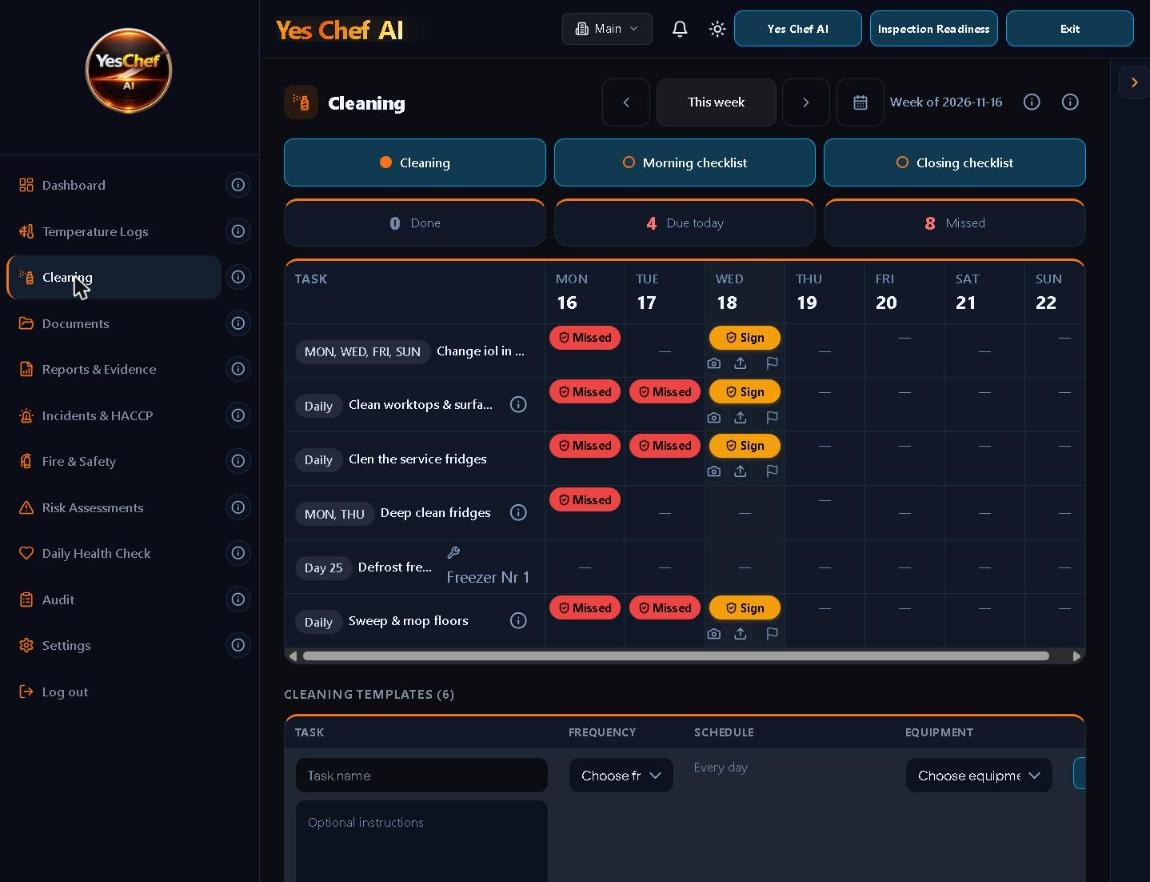
Who cleaned what, and can you show it?
Cleaning tasks are signed with a PIN and shown as Done or Missing, day by day. Who signed and when is stamped by the system.
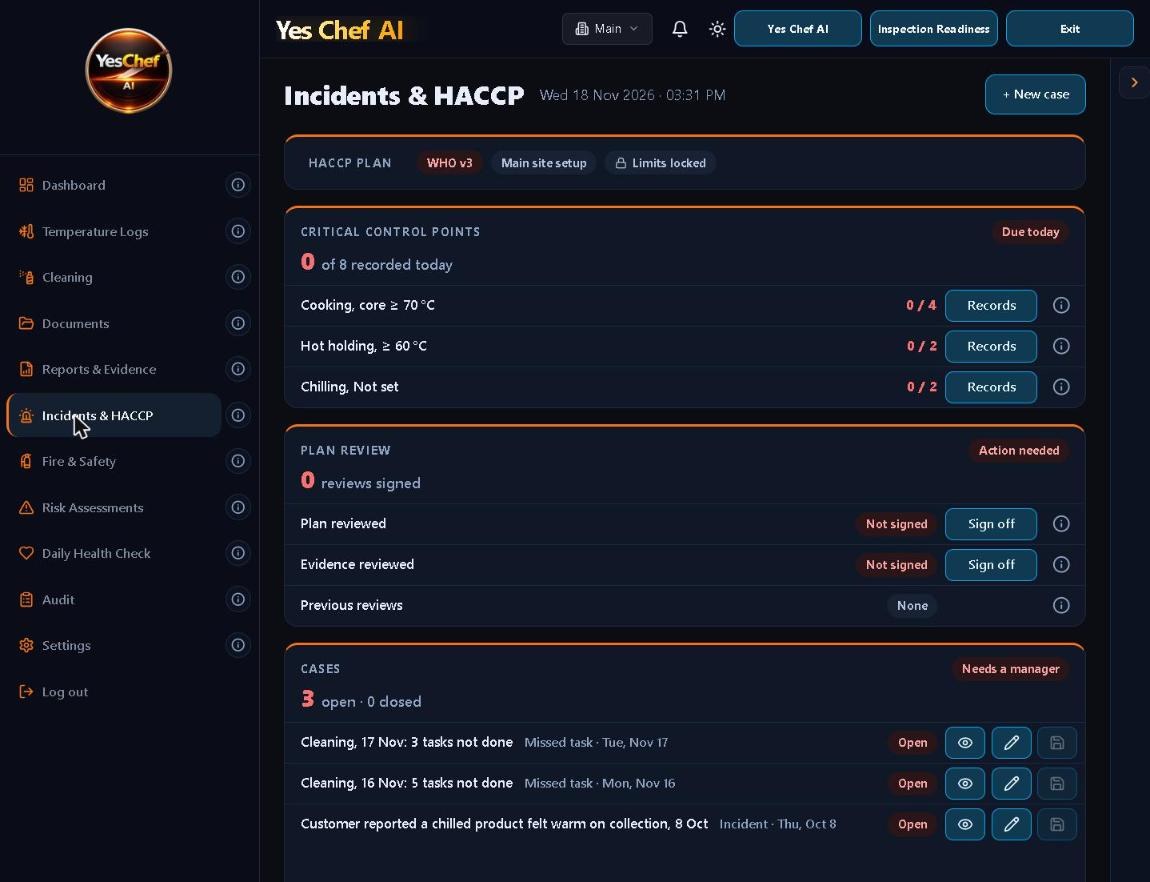
A failed check should never end in a shrug.
Every missed or failed check becomes a case with an owner. It stays open until a manager has reviewed the corrective action and closed it.
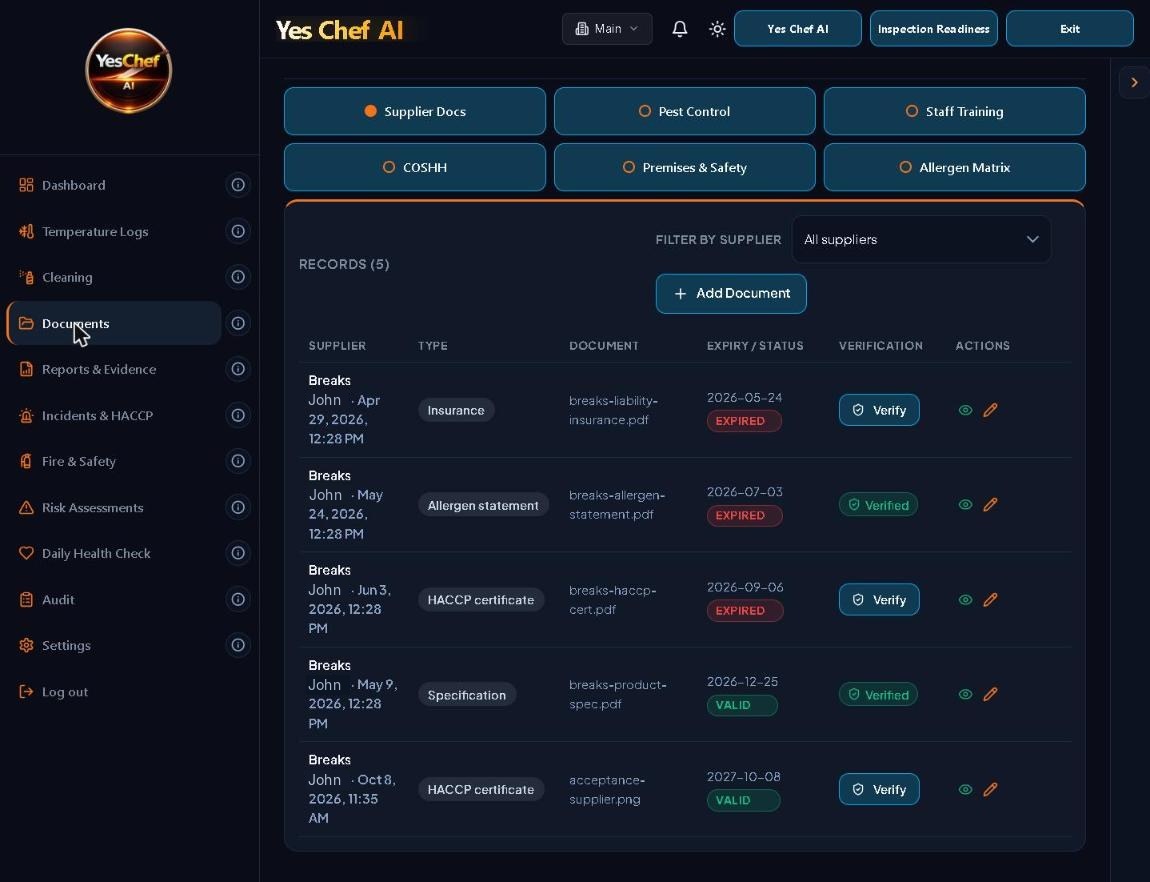
Is that supplier certificate still valid?
Supplier and safety documents live in one place with their expiry shown. An expired document is flagged, so it can be replaced and verified in time.
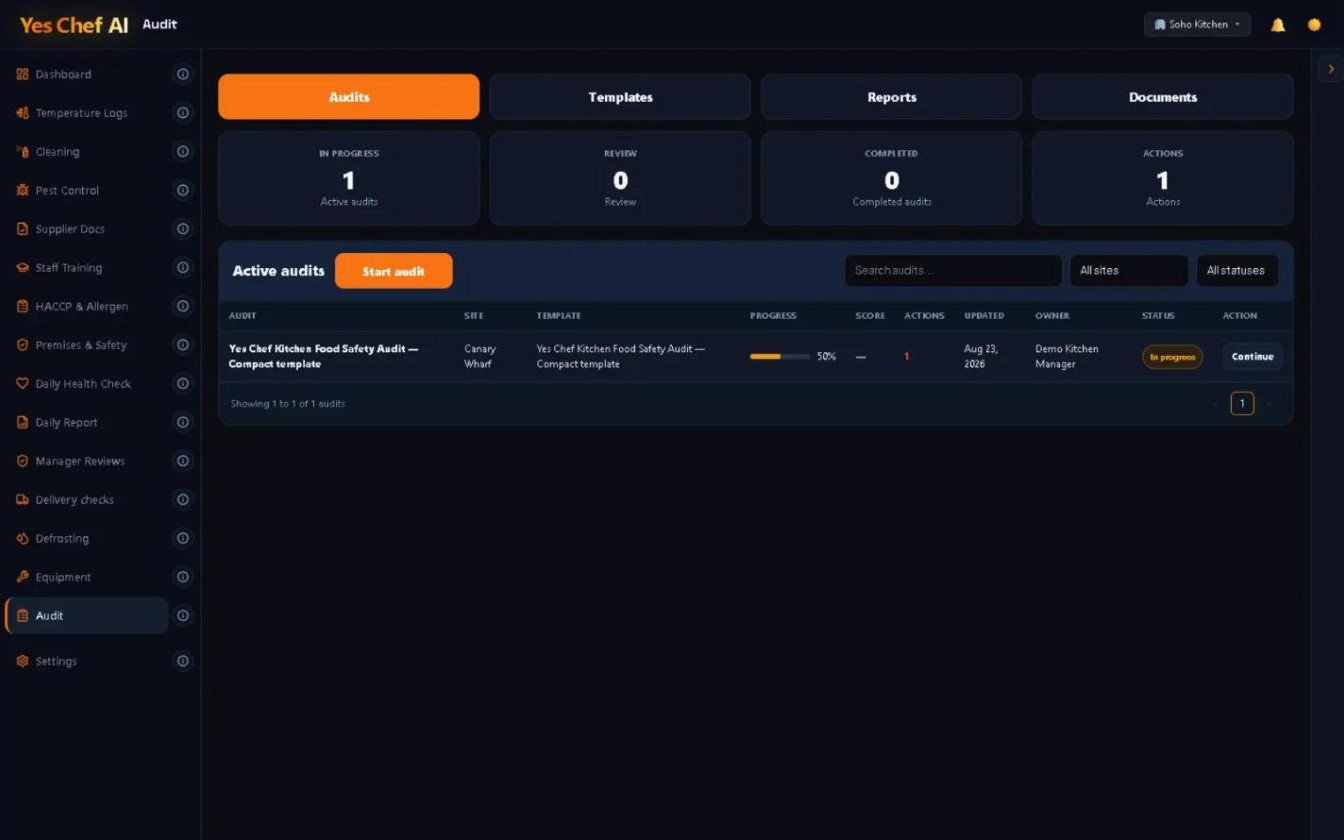
When did you last check yourself, honestly?
Start an audit from a template, follow its progress and see the open actions for each site, so self-checks become a habit instead of a panic.
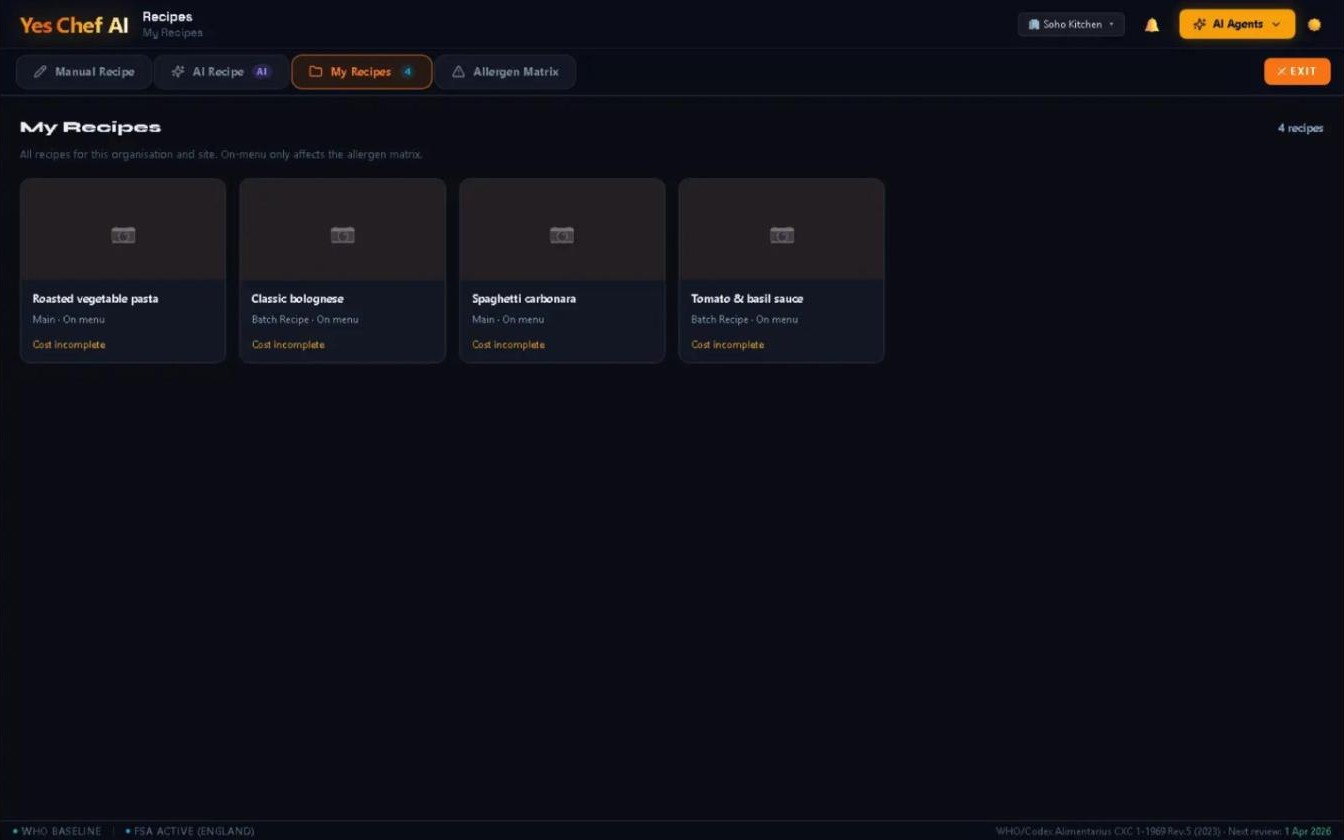
Is the recipe in a system, or in one chef’s head?
The recipe book keeps every dish together for the organisation and site, with the on-menu status that feeds the allergen matrix.
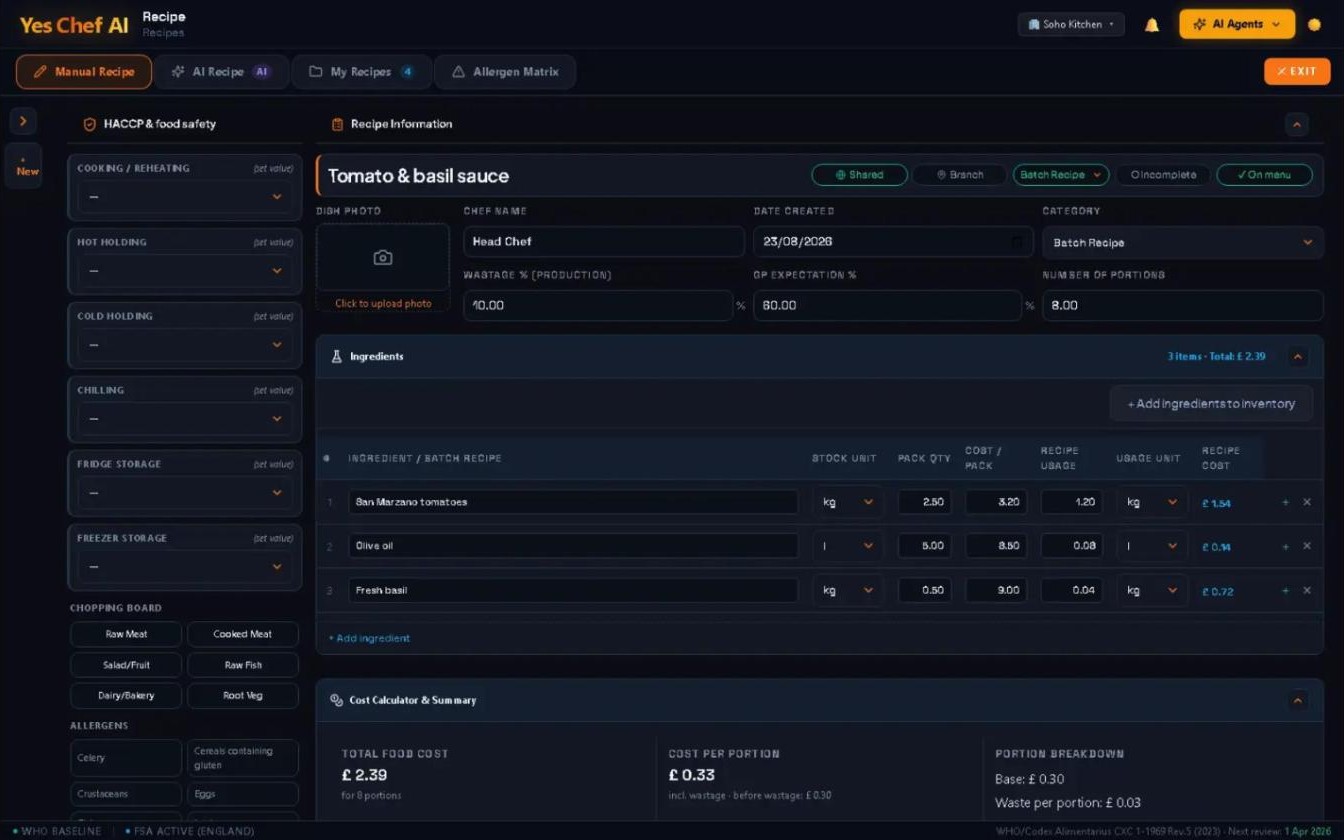
What does this dish really cost you?
Build a recipe with ingredients, yield and wastage, and see the total food cost, cost per portion and a suggested sell price calculated alongside it.
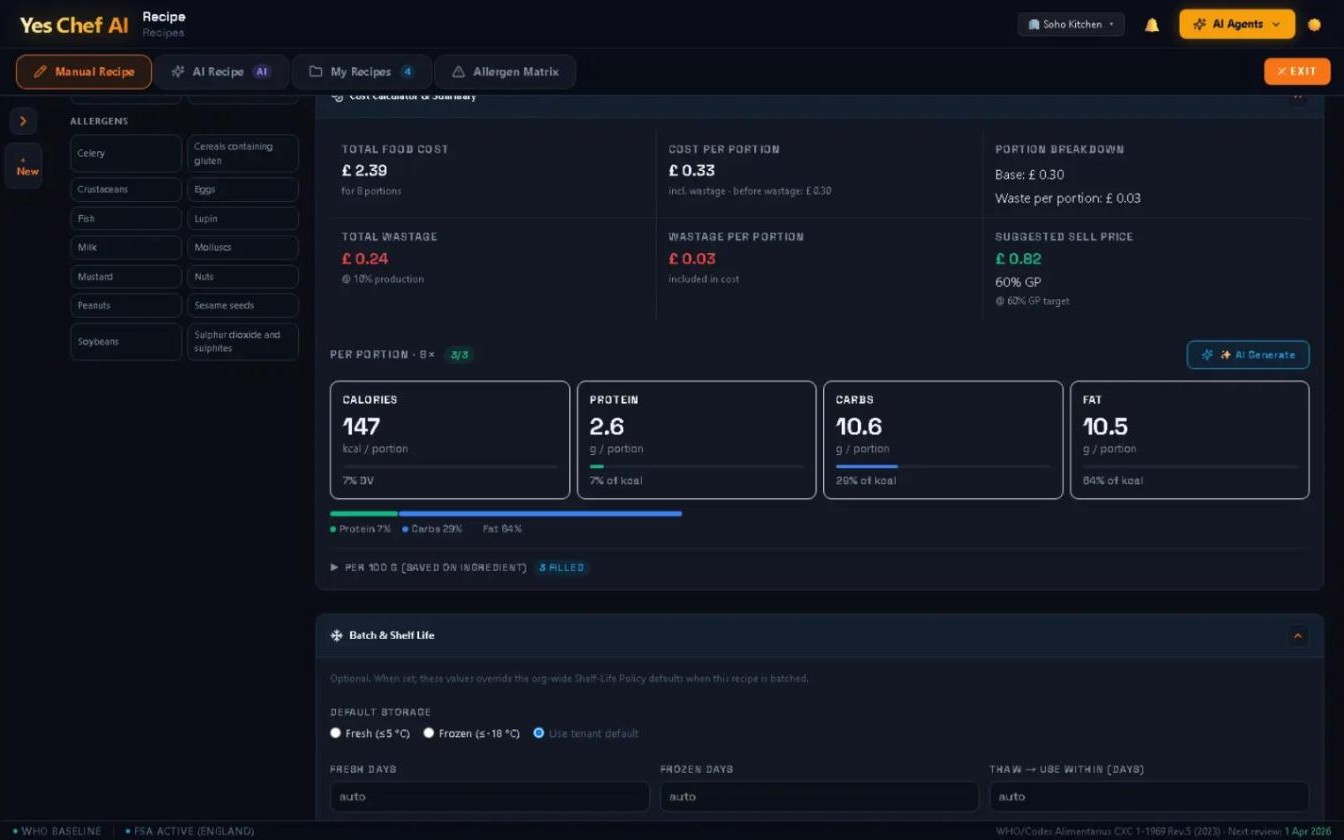
Can you answer an allergen or calorie question on the spot?
Allergens are marked on the recipe, and calories, protein, carbs and fat are shown per portion, with AI help to calculate them.
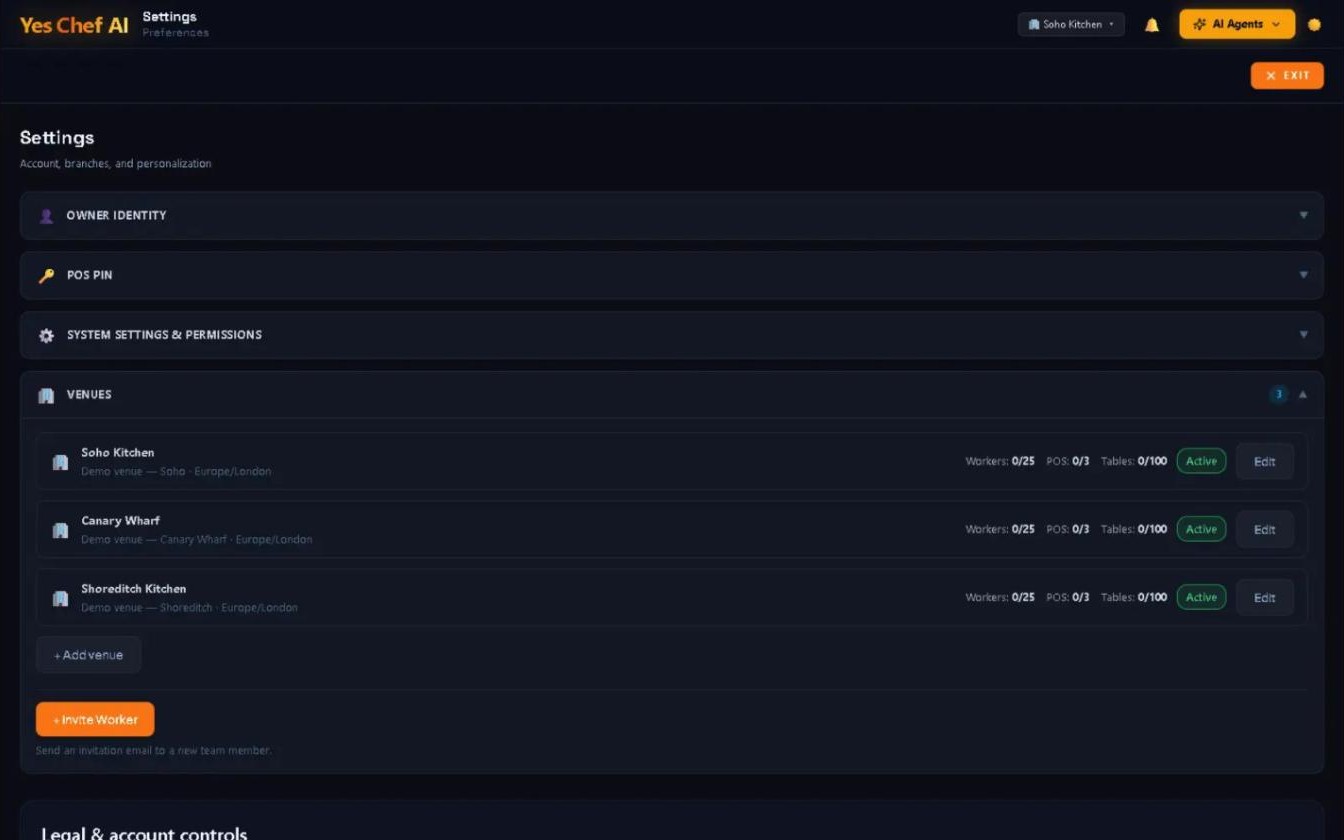
More than one kitchen. Still one login?
Add venues to one account and switch between them, with workers and settings managed in the same place.
Product questions, answered.
Are these real Yes Chef AI screens?
Yes. They are screens from the product, shown with demonstration or sample data. Labels and values may not reflect a live customer kitchen.
Which screens belong to which package?
Temperature logs, cleaning, incidents, documents and audits belong to Protective. Recipes, costing and nutrition belong to Production. Promotion includes both.
Can I use Yes Chef AI on a phone or tablet?
Yes Chef AI is web software, so it works from a browser on a phone, tablet or computer.
Does the product guarantee an inspection result?
No. Yes Chef AI supports the improvement and evidence process. It does not award ratings, replace the local authority, or guarantee an inspection outcome.
Which of these questions keeps you up?
Choose the package that answers it, or tell us and we will point you to the right screen.